To customize your website with the page builder (used in Astra Theme and other themes customization) and to make changes to a page, you can simply edit the page, customize it, and update the page.
-
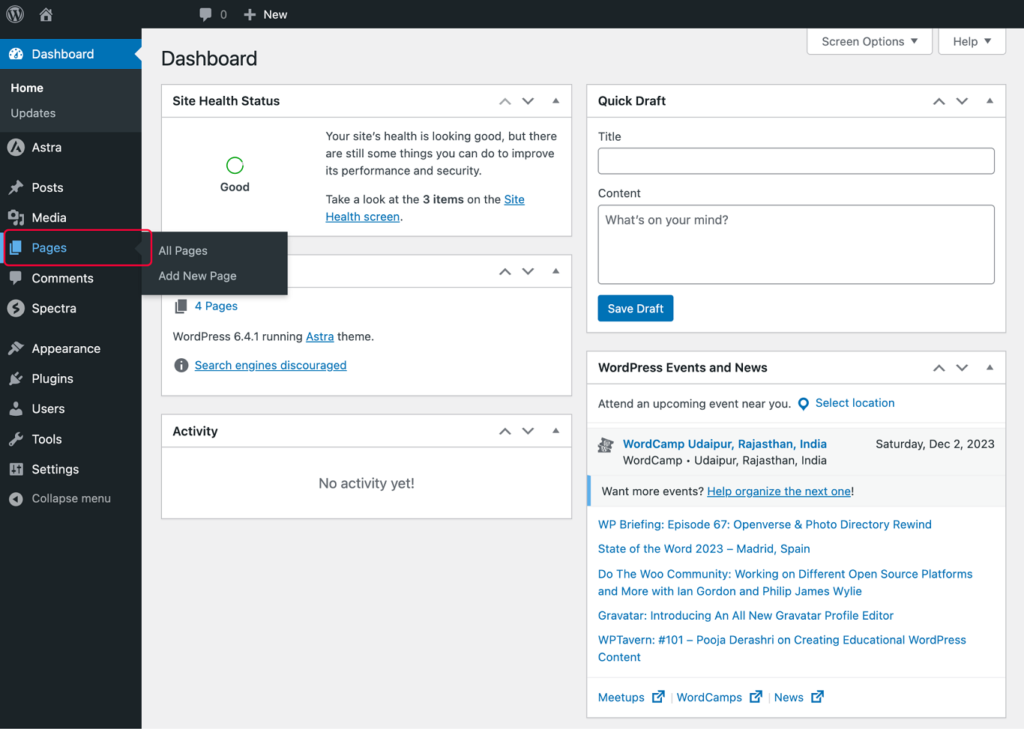
Go to your WordPress admin area and click on Pages.
-
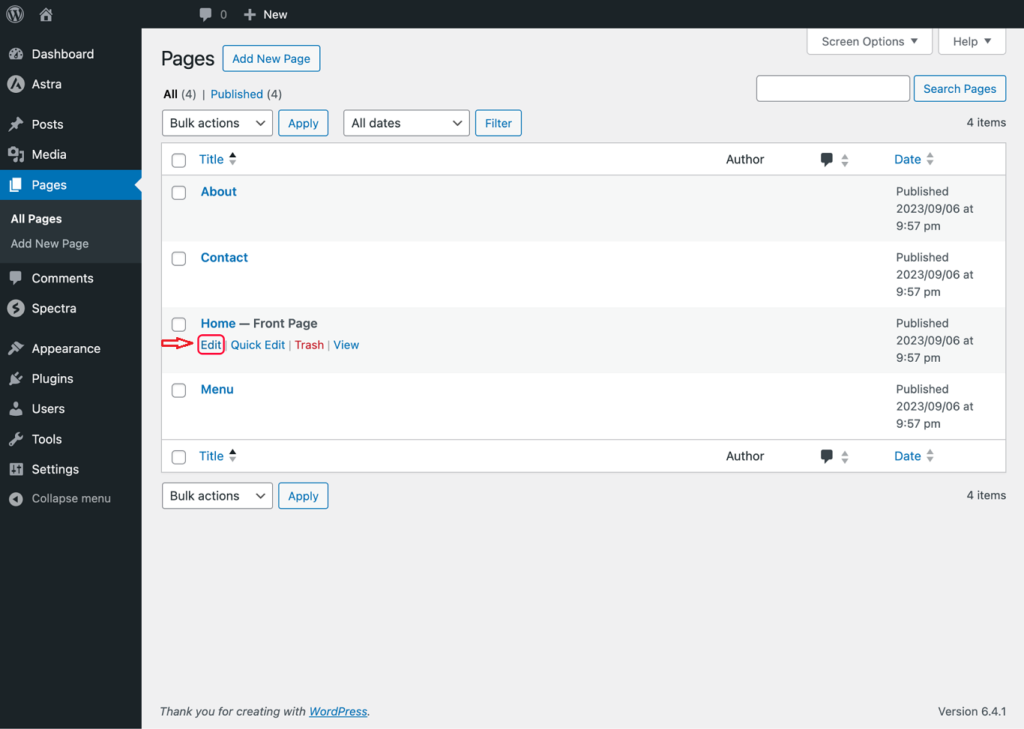
Edit the page where you want to make the changes.
-
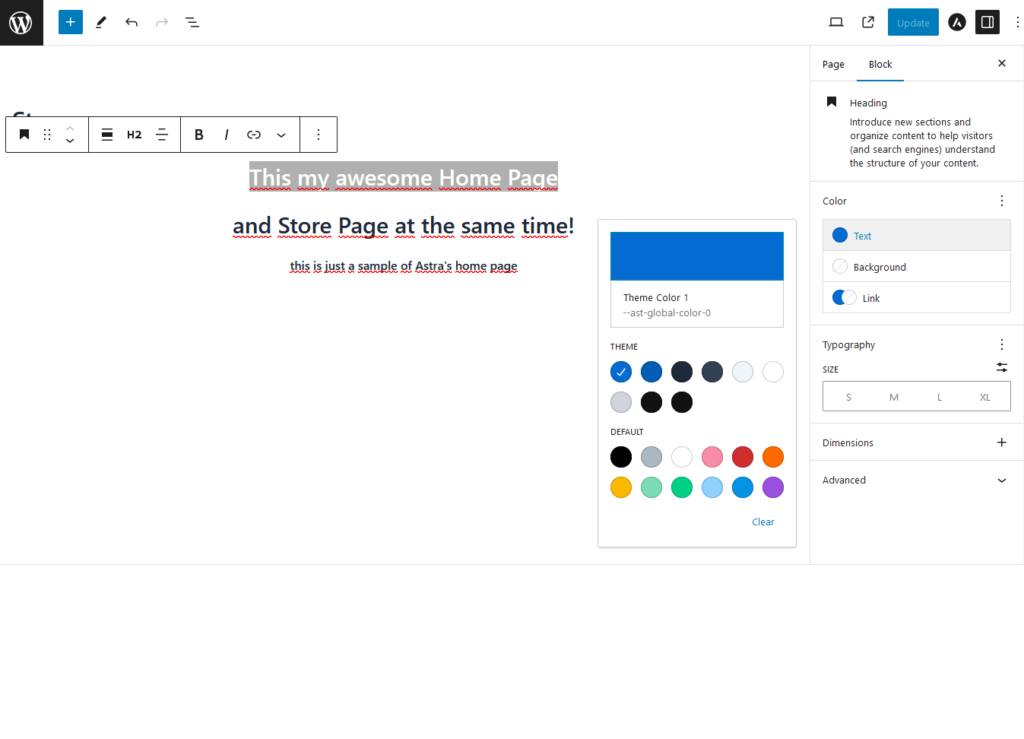
Look for the section you want to edit and click on it.
-
Now, you will notice that most of the sections on your site are created using blocks, and settings to customize the block or the element are available on the right sidebar.
-
Click on the element that you want to edit, and make the desired changes. For our demonstration, we’ll just change the color of a part of the heading text.
-
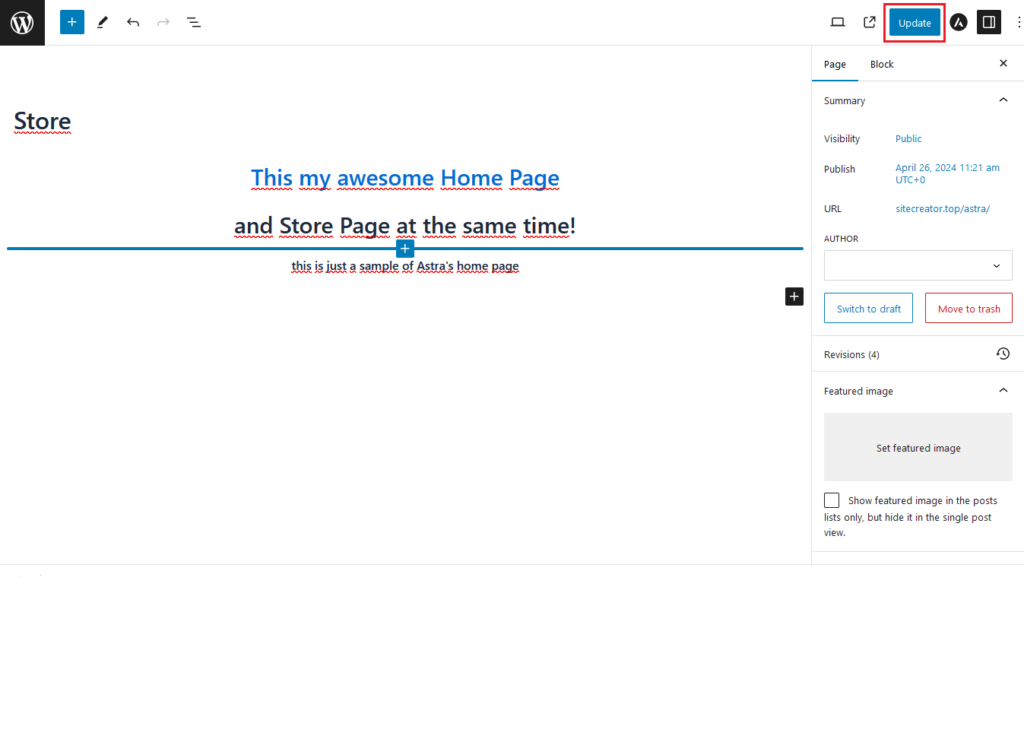
Once you’re satisfied with the changes, click on the Update button.
-
After updating, you can review the changes you made on your website. Similarly, you can customize any part of any page on your website that uses blocks.
 George