There are several different ways to add your contact form to your site. If you’d like, you could embed it on a page on your site.
Once you’ve finished customizing your form, you can use the Embed Wizard right from the form builder by clicking the Embed button.
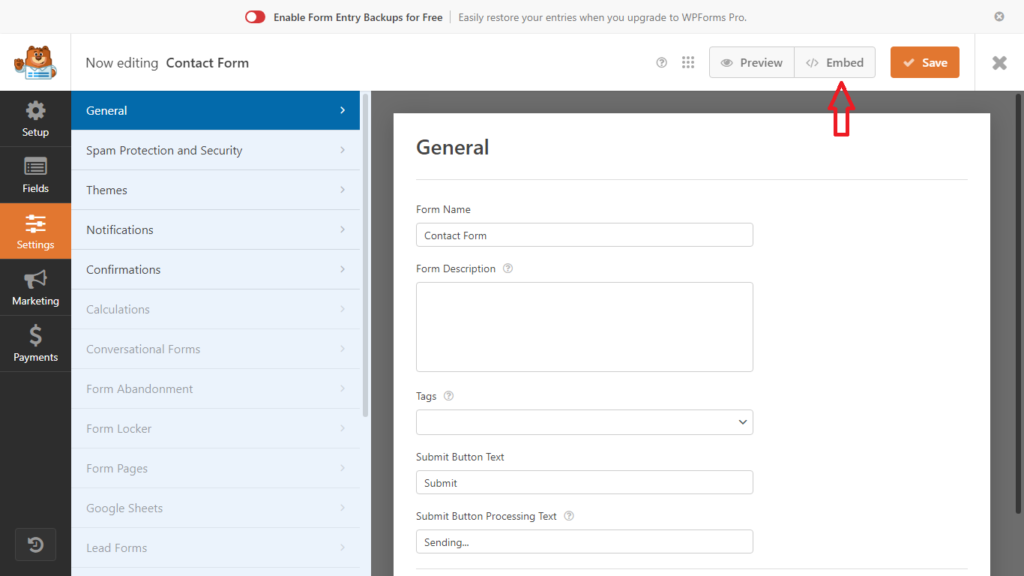
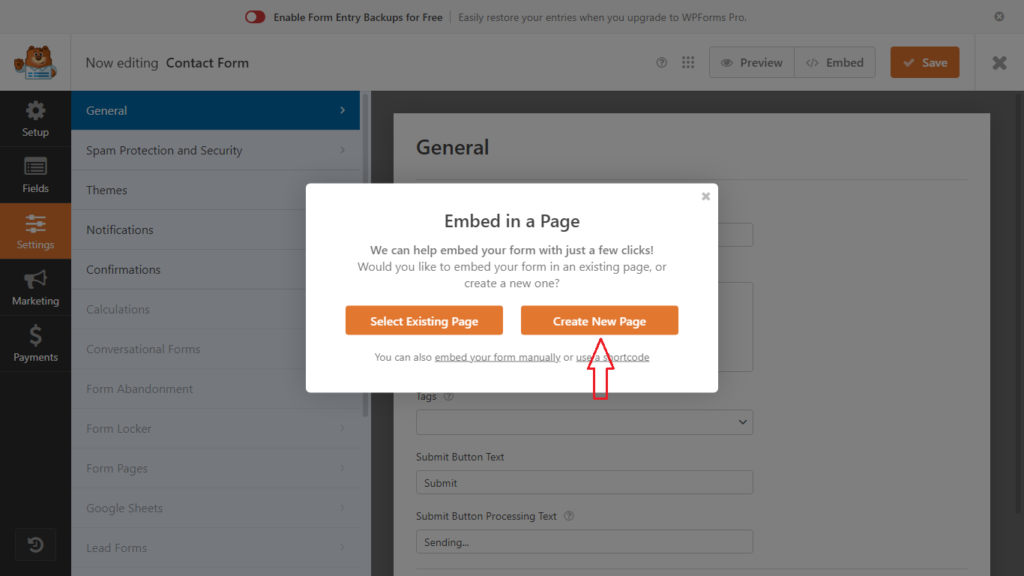
From here, you’ll have the option to either create a new page to embed your form on, or to select an existing page to add your form to.
In this example will asume that your site doesn’t have Contact Us page and will choose Create New Page
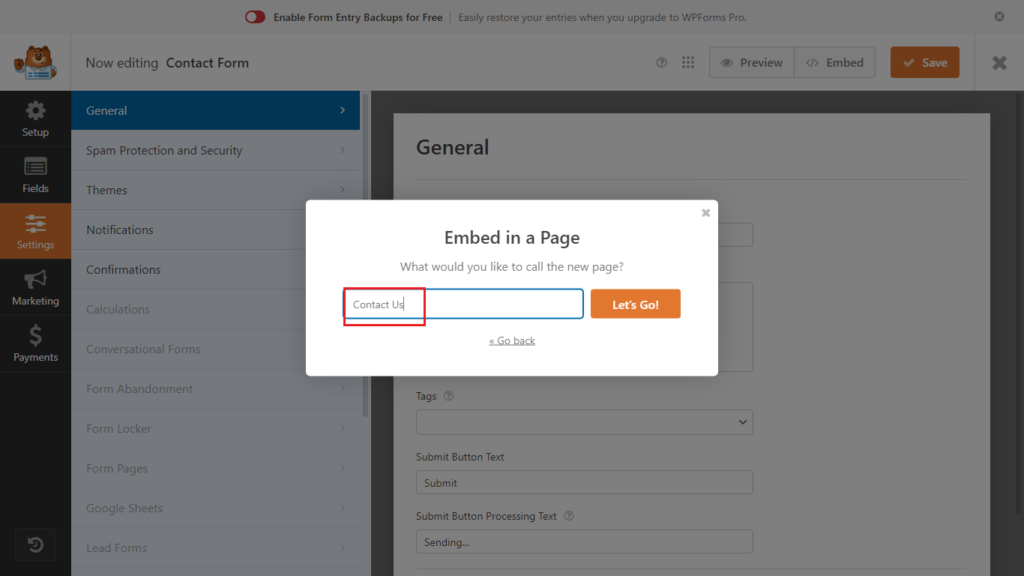
If you select the Create New Page option, you’ll be asked to enter a name for the page. Then click the Let’s Go button to continue.
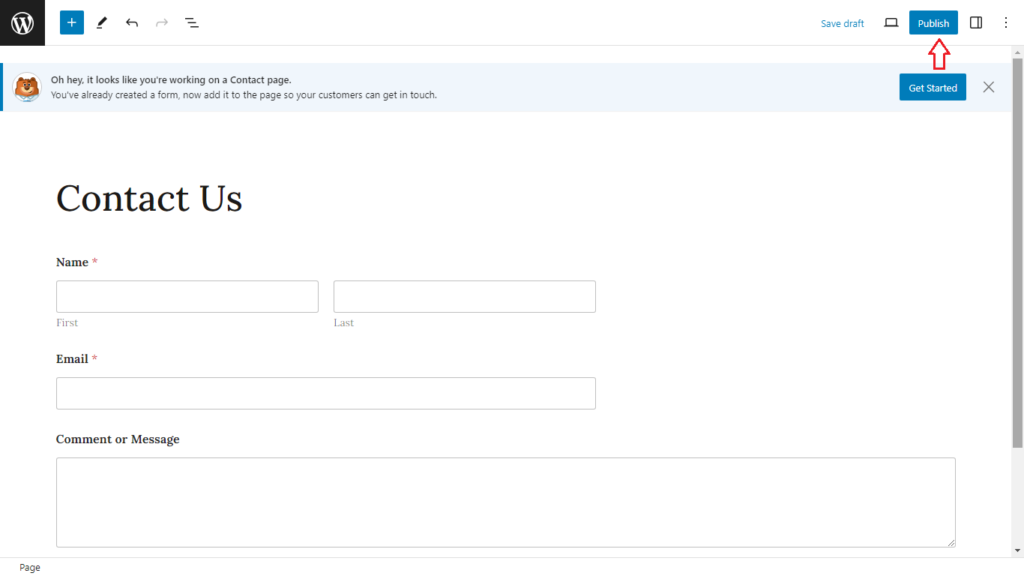
After that, you’ll be redirected to the new page with the form embedded, go ahead and click the Publish button to publish your form.
 George