To customize your website with Astra, follow the steps below:
-
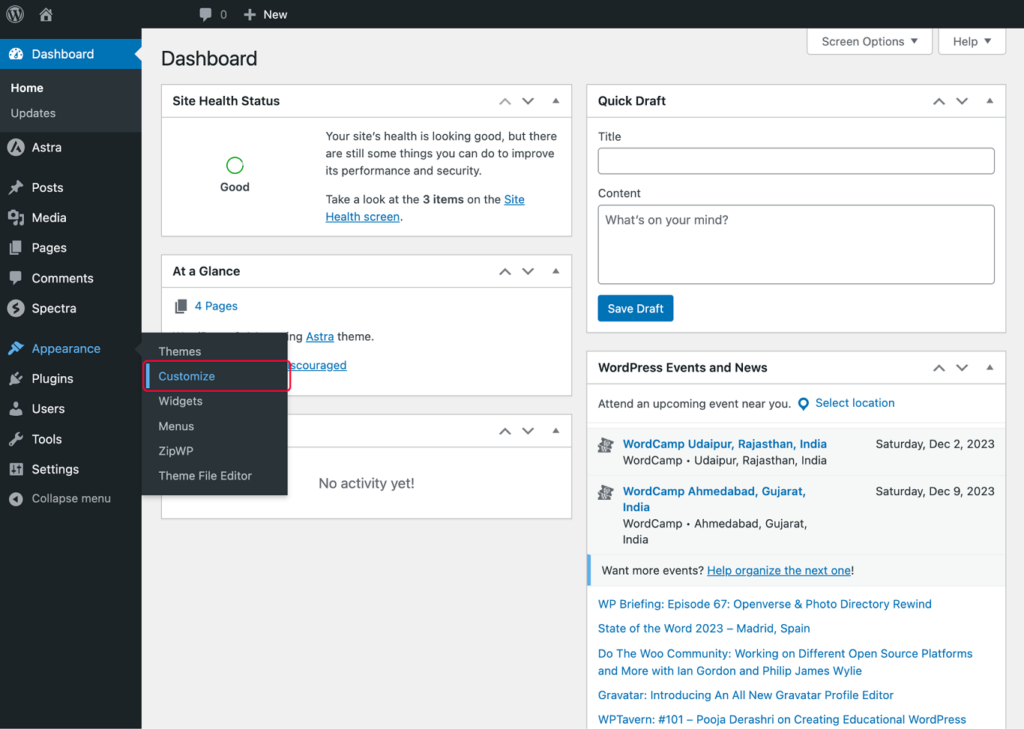
Go to the WordPress admin area of the site.
-
Click on Appearance and then Customize.
-
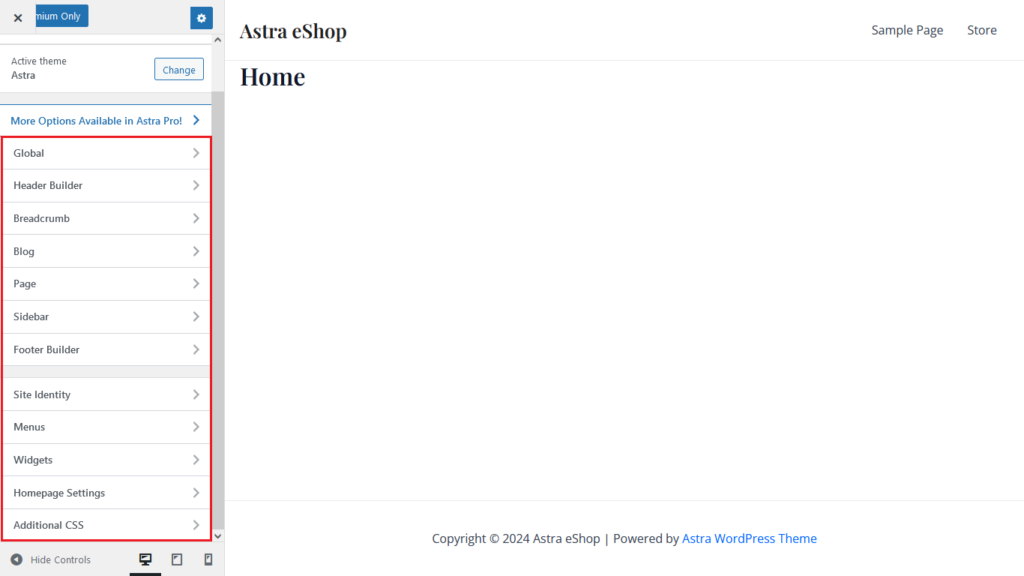
You will reach Astra’s customizer. Make all the customizations possible with Astra as per your needs.
-
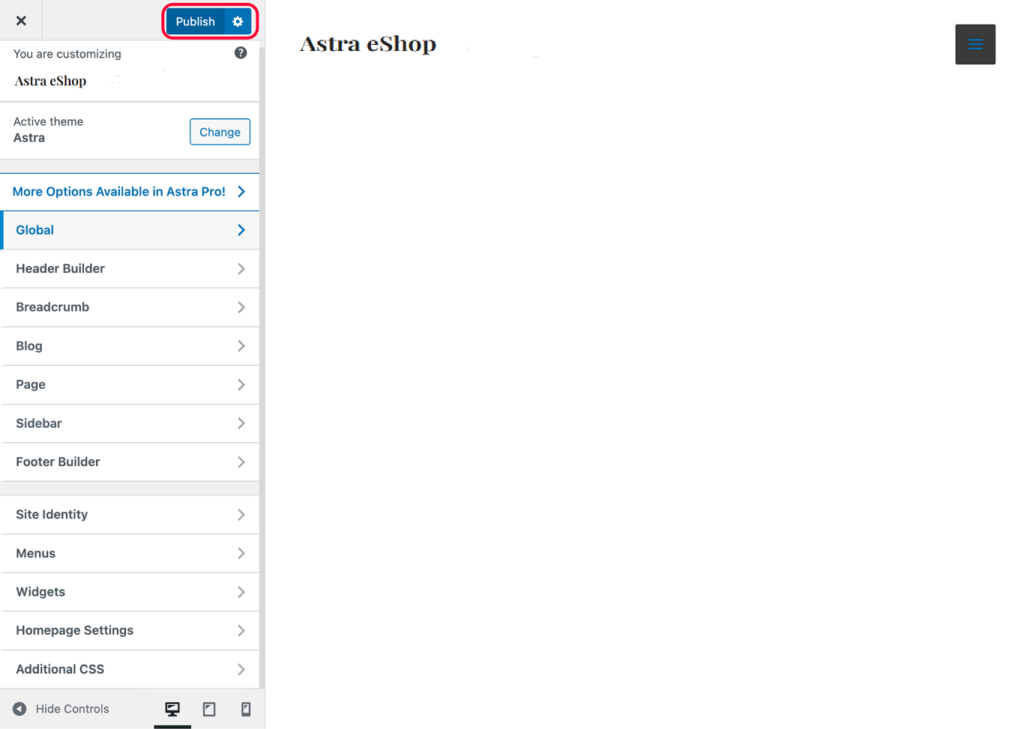
Once you’re satisfied with the changes, click on Publish to update your modifications.
-
Now, you can review the changes on your website. If you want to make more adjustments, simply visit Astra’s customizer again and make the desired changes.
When To Use Astra Customizer?
You can use Astra’s customizer when you’ve to customize the following parts of your website:
-
Color scheme – palette, page background, buttons, etc.
-
Header
-
Menus
-
Breadcrumbs
-
Page Layout
-
Page/post sidebars
-
Blog pages
-
Footer
 George