A contact form allows visitors to contact you directly from your website by filling out a simple form.
By default, WordPress does not come with a built-in contact form.
We are using WPForms, which is one of the best WordPress contact form plugins on the market. It lets you use a simple drag-and-drop form builder to make your contact form and add it to any page on your website.
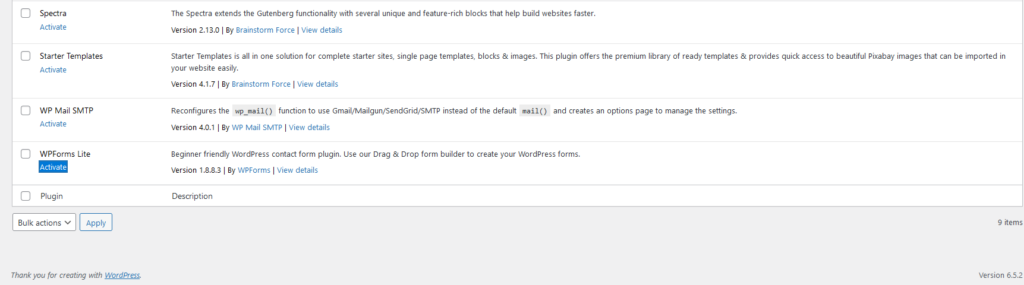
Activate the Contact Form Plugin in your Dashboard
We are using WPForms Lite because it’s easy to use.
This plugin is installed on your site and by logging into your WordPress dashboard and going to Plugins » WPForms Lite, just click on the ‘Activate’ button.
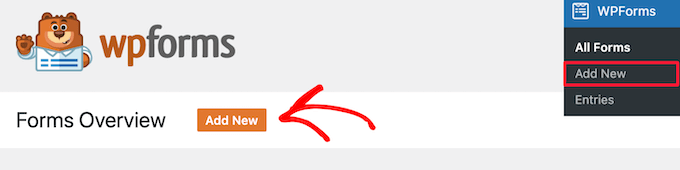
Create a Contact Form in WordPress
Now that you have activated WPForms, you are ready to create a contact form in WordPress.
To do this, navigate to WPForms » All Forms in your WordPress admin panel. Then, click the ‘Add New’ button.
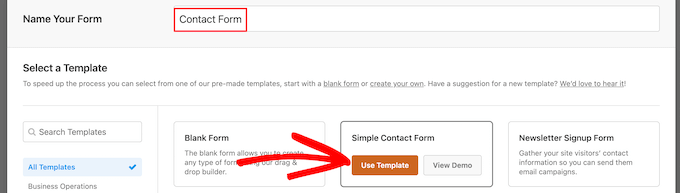
This will open the WPForms drag and drop form builder template library. Start by giving your contact form a name and then select your contact form template.
To choose a template simply hover over it and click the ‘Use Template’ button.
WPForms Lite comes with a lot of free form templates to choose from. You can use these to create just about any type of contact form you like.
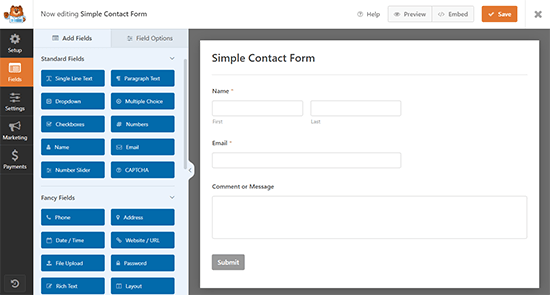
In this example, we will select the ‘Simple Contact Form’ template. It will automatically add the Name, Email, and Message fields.
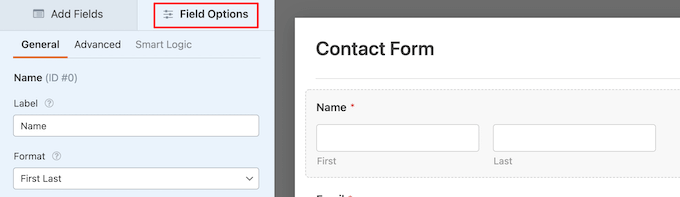
You can click on any of the form fields to edit them.
When you click on a form field it will bring up a ‘Field Options’ panel on the left where you can make changes.
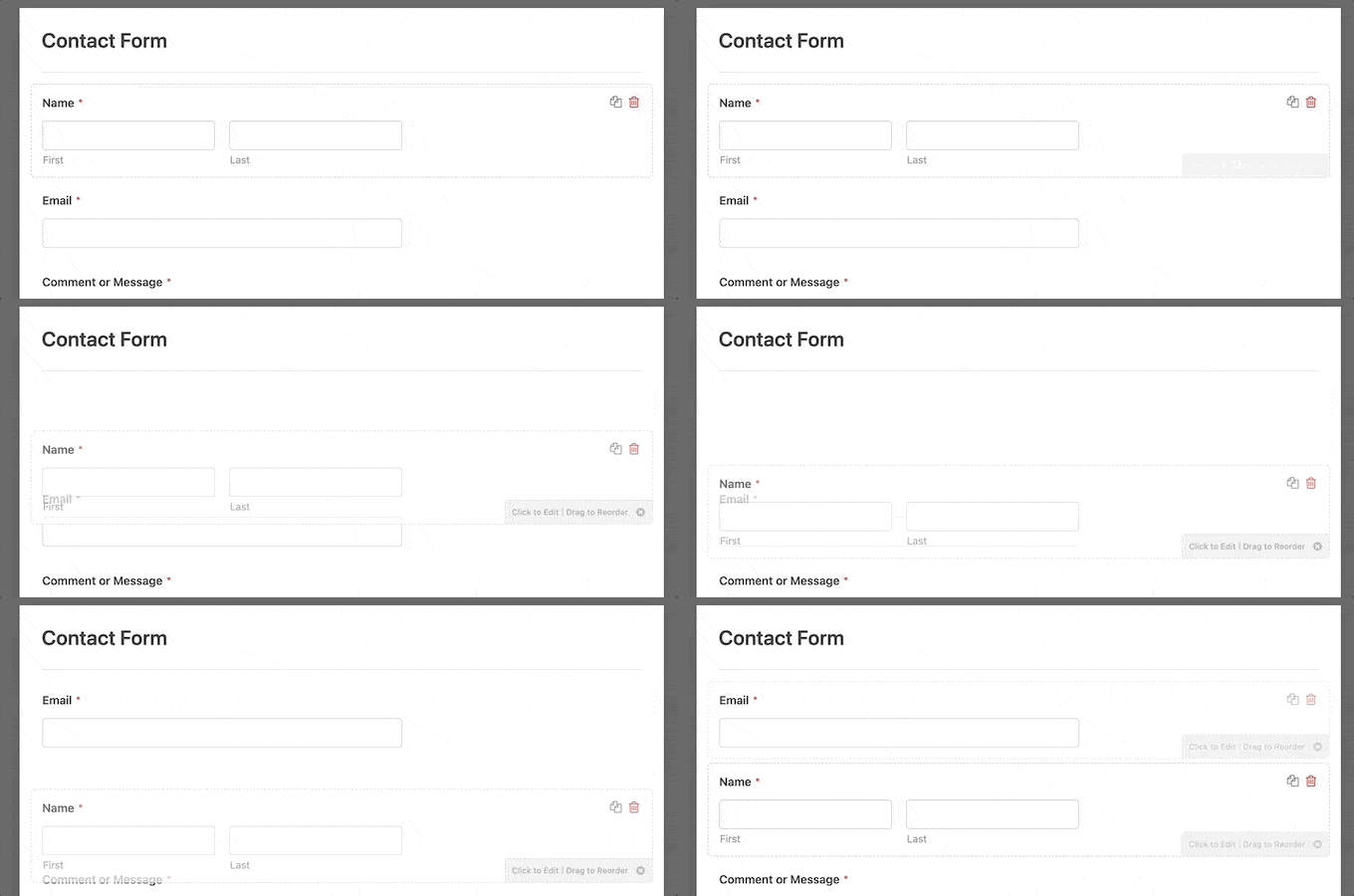
You can also use your mouse to drag and drop the fields to change the order.
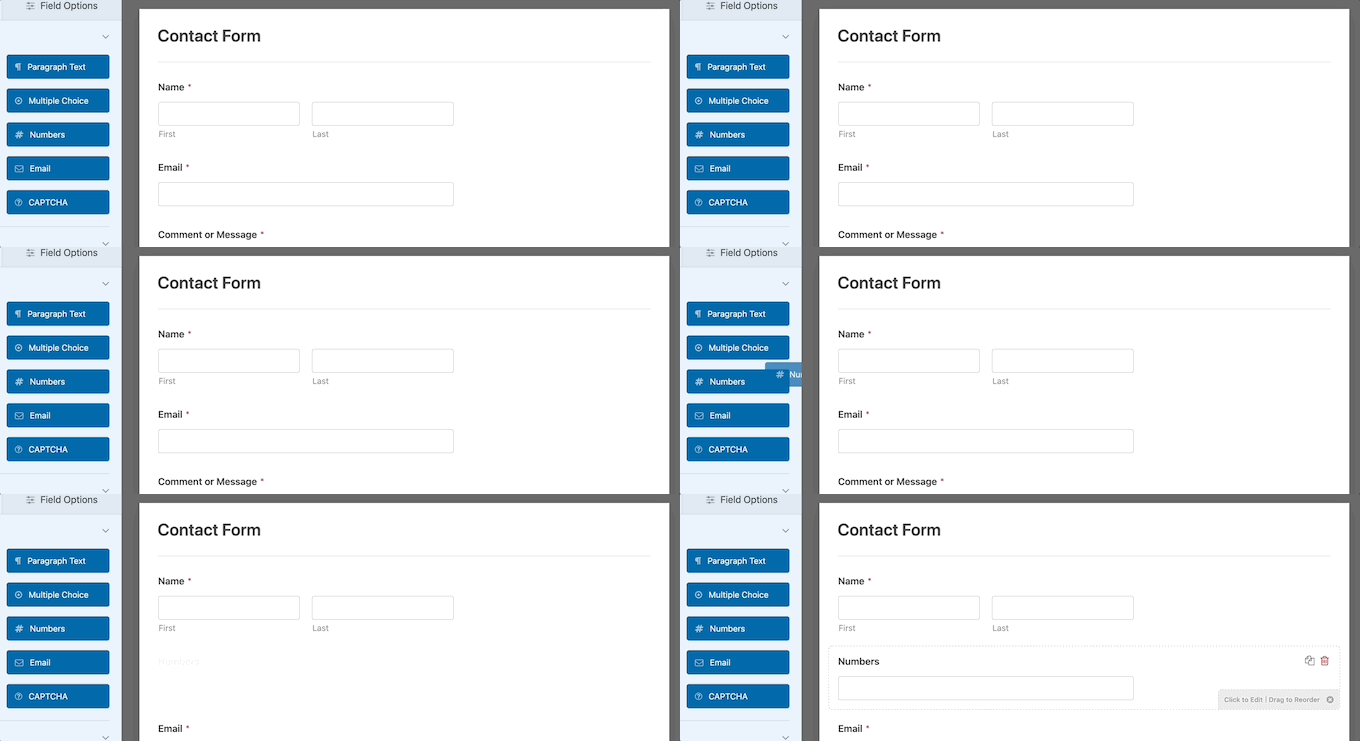
If you want to add a new field, then simply select from the available fields on the left sidebar.
You can drag it over to your form or click on it, and it will automatically be added to your form.
When you’re done customizing your form, make sure to click on the ‘Save’ button.
 Anonymous