Below are the steps that you need to follow to change the active theme in your website.
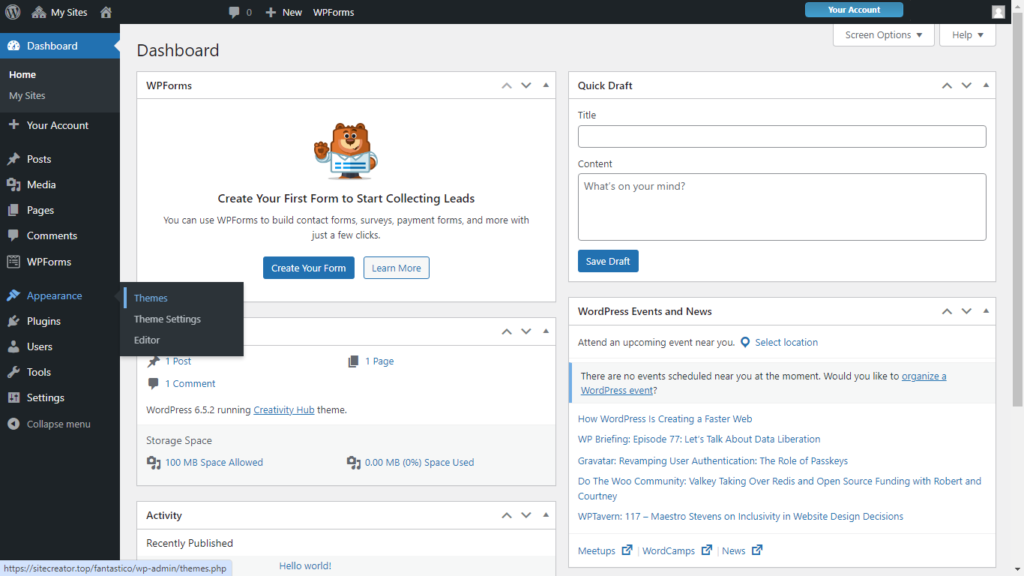
- Click on the Themes option under Appearance.
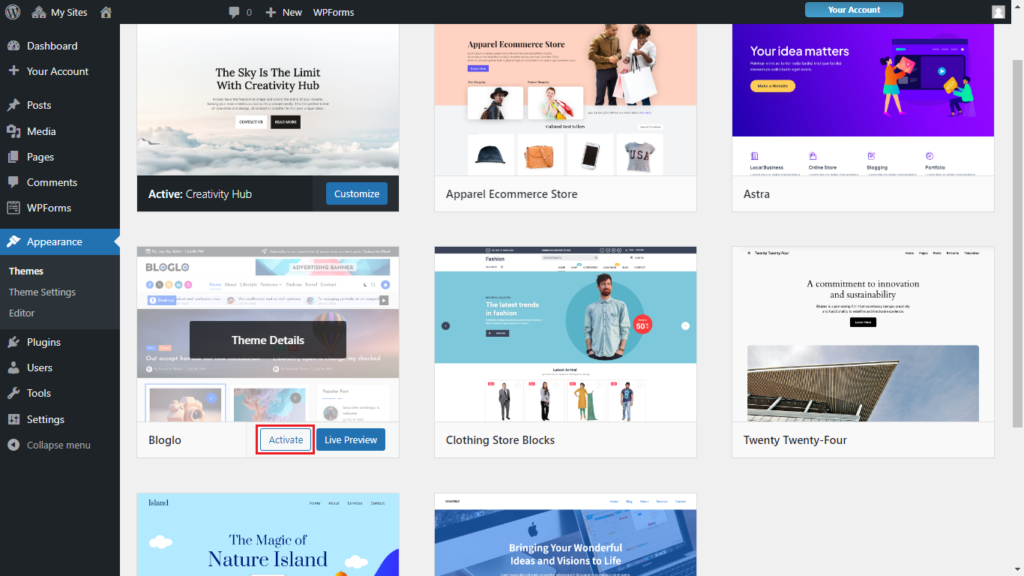
- Hover over the other themes to view the Theme Details. Live Preview one of them, or Activate a different one.
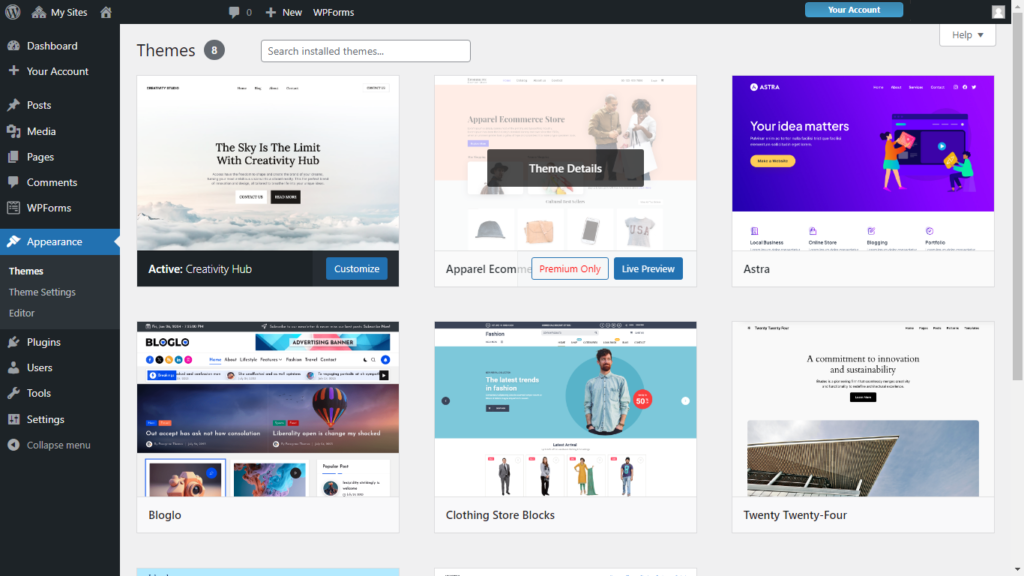
- For the themes where their Activate button is not available for you; you need to upgrade to a higher-paid plan. Following, we have an example of a theme that requires a higher-paid plan.
 George